How do I get support from Upbound?
Last updated: November 2, 2026
You can reach Upbound Support by email, through the Support Portal, or by searching the Knowledge Base yourself.
Ways to get support
You can email support@upbound.io at any time. Each email creates a ticket, and you get replies in the same email thread. If you have portal access, the ticket also shows up in the Support Portal.
Pylon Customer Portal
If you don’t have access yet, ask your Account Manager or Solutions Architect, or email support@upbound.io, and we’ll set you up.
Once you have access, go to support.upbound.io and enter your work email. We’ll send you a one-time sign-in code, so you don’t need a password.
Creating a ticket
Click Create Ticket in the top right and pick the form that fits your request:
General Support: questions, troubleshooting, configuration help, or anything not covered by the other two forms.
Report an Incident: a production issue that’s affecting your workloads now. Use this form so the ticket is prioritised correctly.
Request a Feature: a new capability or an improvement to an existing one. Feature requests are handled as support tickets, so you track them the same way as any other ticket.
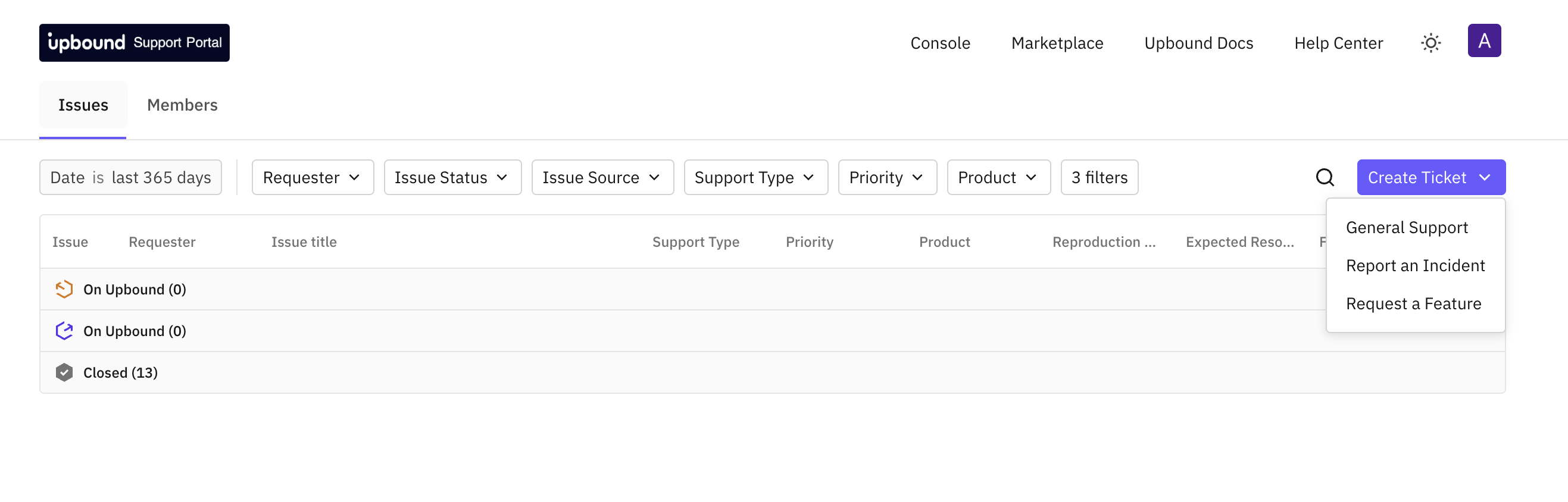
Each form asks for the product, priority and other details we need to get started. The more context you add (versions, error messages, logs, steps to reproduce), the faster we can help.
Viewing and tracking tickets
The Issues tab lists every ticket from your organisation, including ones sent by email. Tickets are grouped by status, so you can see which ones are with Upbound and which are closed.
By default the list shows the last 365 days. You can narrow it with the filters along the top:
Requester: who raised the ticket
Issue Status: "On Upbound", "On you", "Closed"
Issue Source: portal or email
Support Type: for example Troubleshooting or Feature Request
Priority and Product
To see only feature requests, set Support Type to Feature Request. The Feature Status column shows where each request stands, for example Triage, Backlog or Shipped.
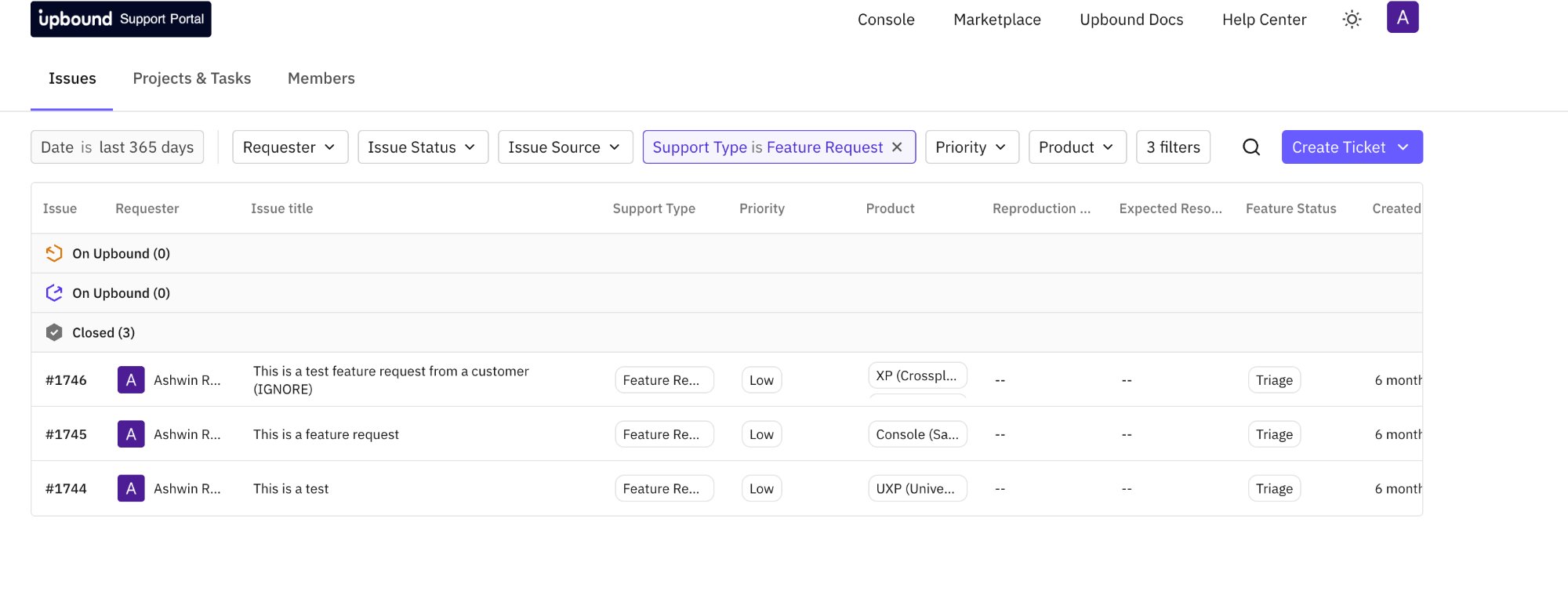
Open a ticket to read the full conversation, reply, and see updates from Upbound and your colleagues.
Members tabs
Everyone in your organisation who has portal access. Admins can add colleagues here, so once your organisation is set up, you don’t need to contact Upbound to give a teammate access.
Knowledge Base
help.upbound.io has self-service troubleshooting guides, known issues, workarounds, and frequently asked questions.
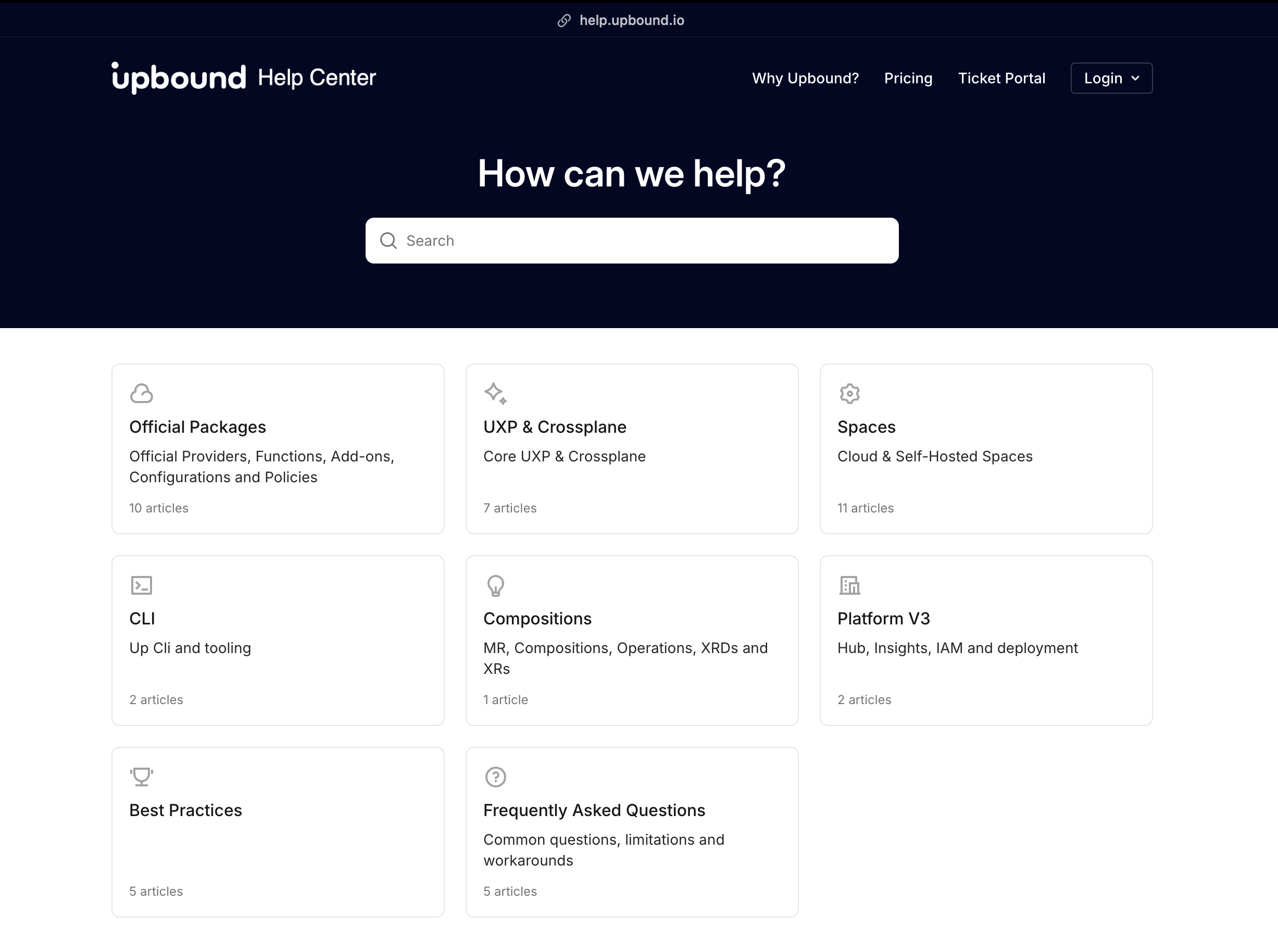
How it relates to the product docs
Our product documentation covers architecture, getting started guides and reference material. The Knowledge Base is for everything else: troubleshooting, workarounds and edge cases that come up in real support tickets.
Support engineers write Knowledge Base articles, they’re reviewed by the Upbound team, and they’re published quickly. Over time, useful articles make their way into the main documentation.
Related